

Introducing TongueType
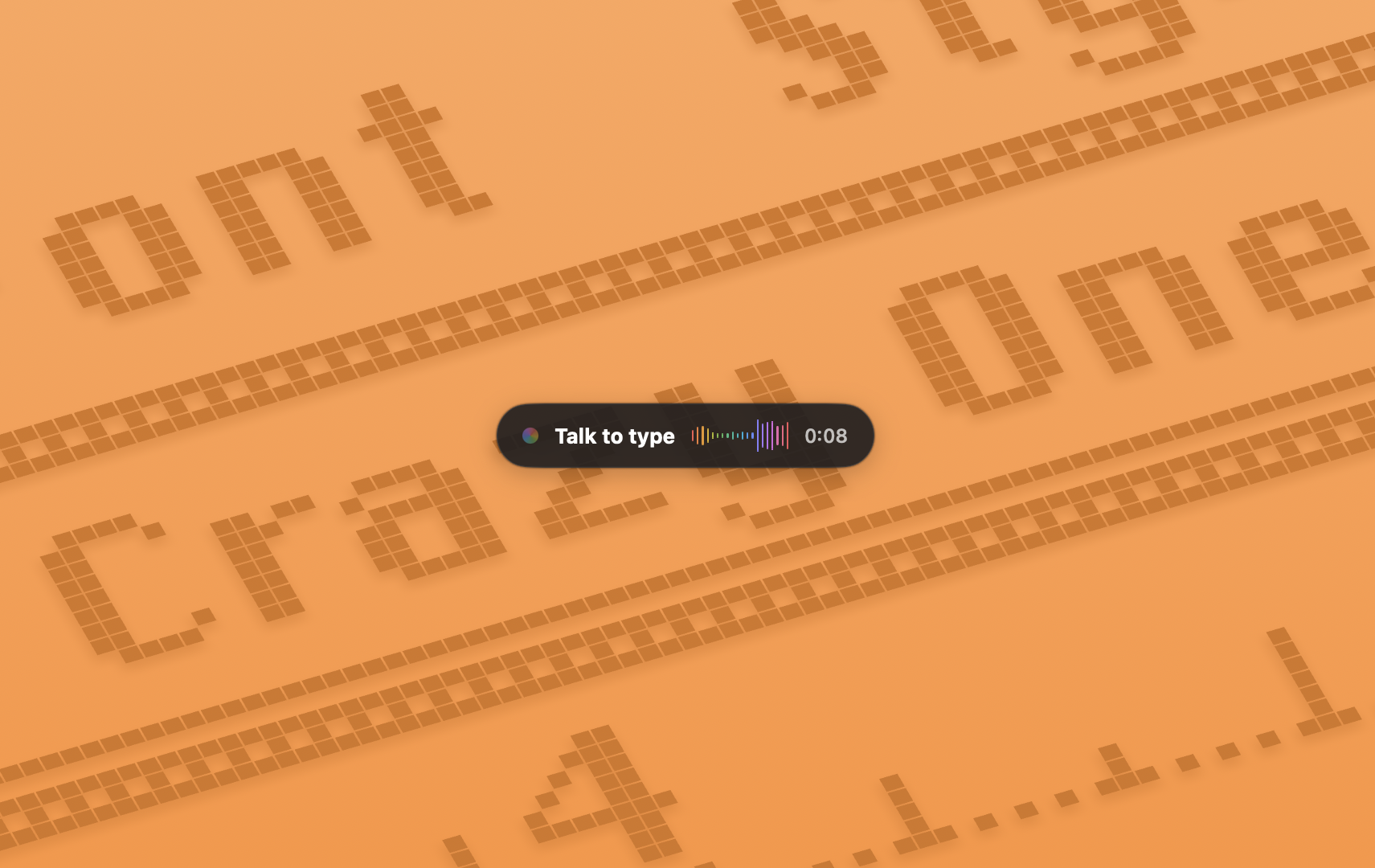
I just launched my first macOS app, TongueType. It's voice dictation that runs entirely on your Mac. Hold a key, speak, release, and your words appear wherever your cursor happens to be.

Why I made it
I type fast, but I often think faster than I type. When an idea is fully formed in my head, the bottleneck is my fingers.
macOS has had built-in dictation forever, but I never liked relying on it. Accuracy aside, I didn't love the idea of my voice taking a trip to a server and back just to write a sentence.
There are plenty of dictation apps out there. Alas, the good ones tend to want a subscription, a cloud account, or both. I wanted one that stays on my machine and gets out of the way.
TongueType uses OpenAI's Whisper model running locally on Apple Silicon. Nothing is uploaded, nothing is logged, and there's no account to create. Your voice never leaves your Mac.
How it works
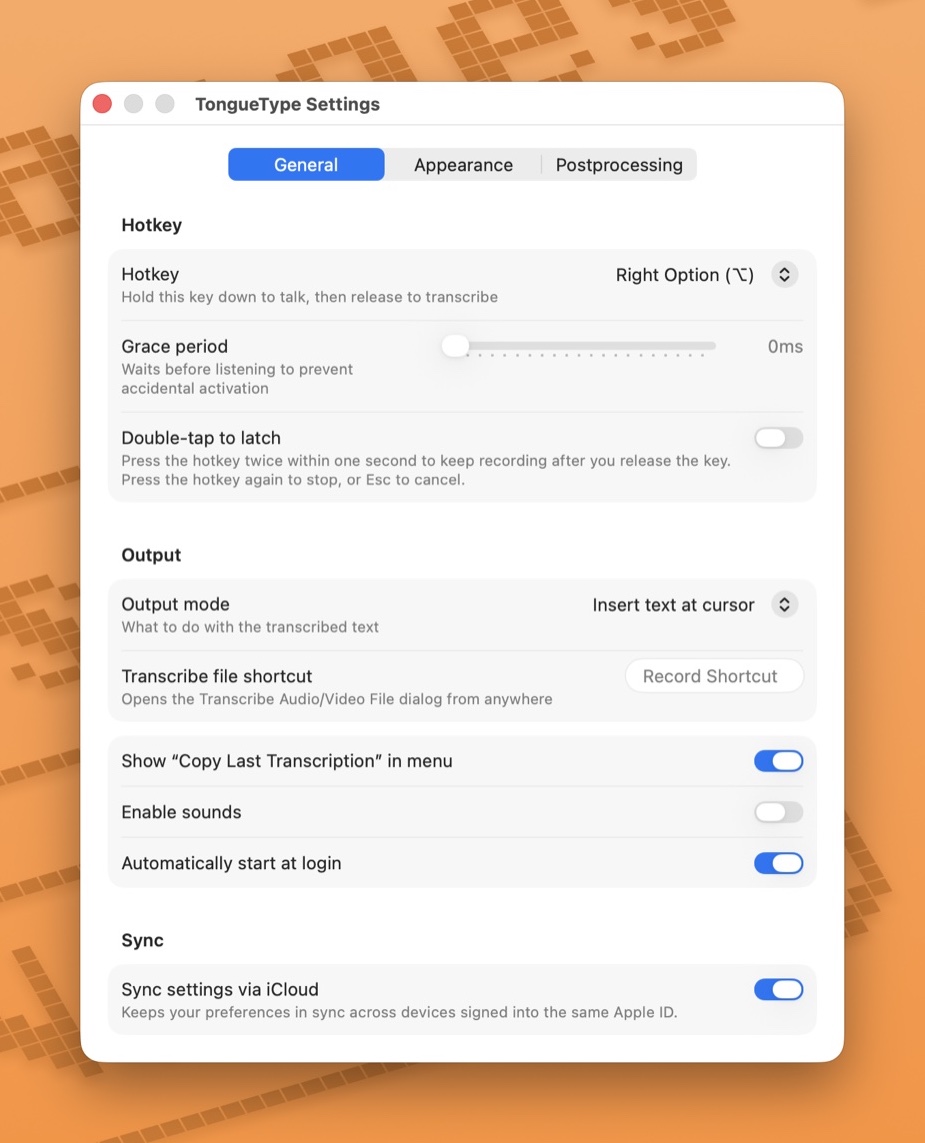
The whole interaction is one key. By default it's the Right Option key, because it's sitting right there and your thumb isn't doing anything important. Hold it, talk, let go. The transcribed text gets inserted at your cursor, whether that's your editor, your email, a chat box, or a search field.
You can also drop in an audio or video file — WAV, MP3, MP4, MOV — and get a transcript back. Handy for meeting recordings and voice memos.
A few details I spent longer on than I expected:
- A grace period, so a quick accidental tap doesn't start recording
- Double-tap to latch, for when you want to keep talking without holding the key down
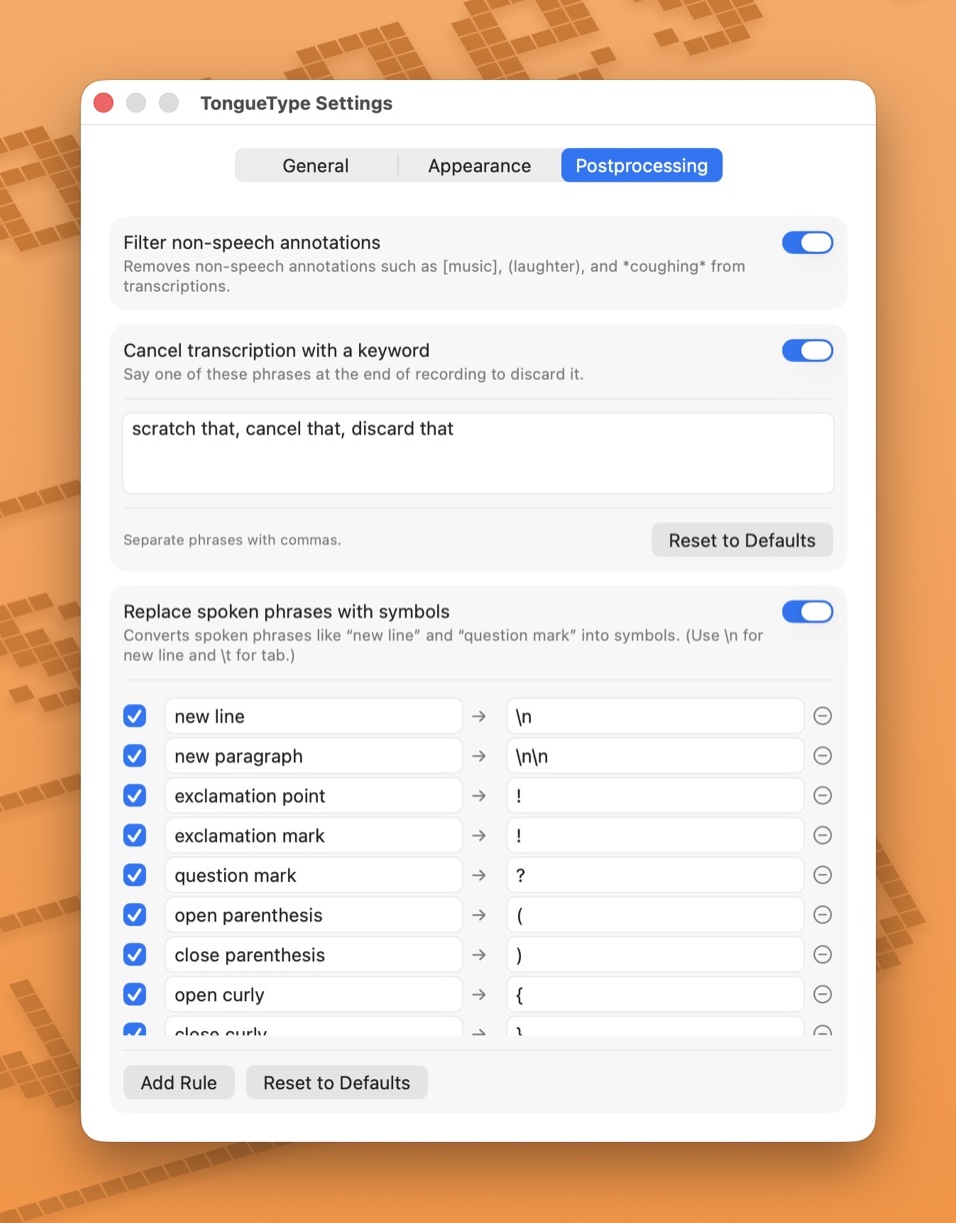
- Cancel phrases, so you can say "scratch that" at the end and discard the whole thing
- Spoken symbols, so "new line" and "question mark" produce the symbol instead of the words
- Post-processing, for the terms that never get dictated properly
It speaks twelve languages and detects them automatically.
How I actually use it
Building the app was one thing. Using it every day turned out to be another. A couple months in, it's worked its way into most of what I do at the keyboard.
I prompt LLMs with it, which is where it surprised me most. Talking to an AI assistant is conversational by nature, and typing out a long, detailed prompt is tedious. Speaking it isn't. I get more context into a prompt because I'm not rationing my words to save my fingers.
I use it for email, too. Replies that used to sit in my drafts get spoken out in a single pass. I still read them before sending, but the blank-page friction is gone. Same for code comments and commit messages, which are really just writing. It's faster to explain why a change exists out loud than to stop and type it.
Every one of those is the same task: the thinking is done, I just have to get the words out.
A bit of personality
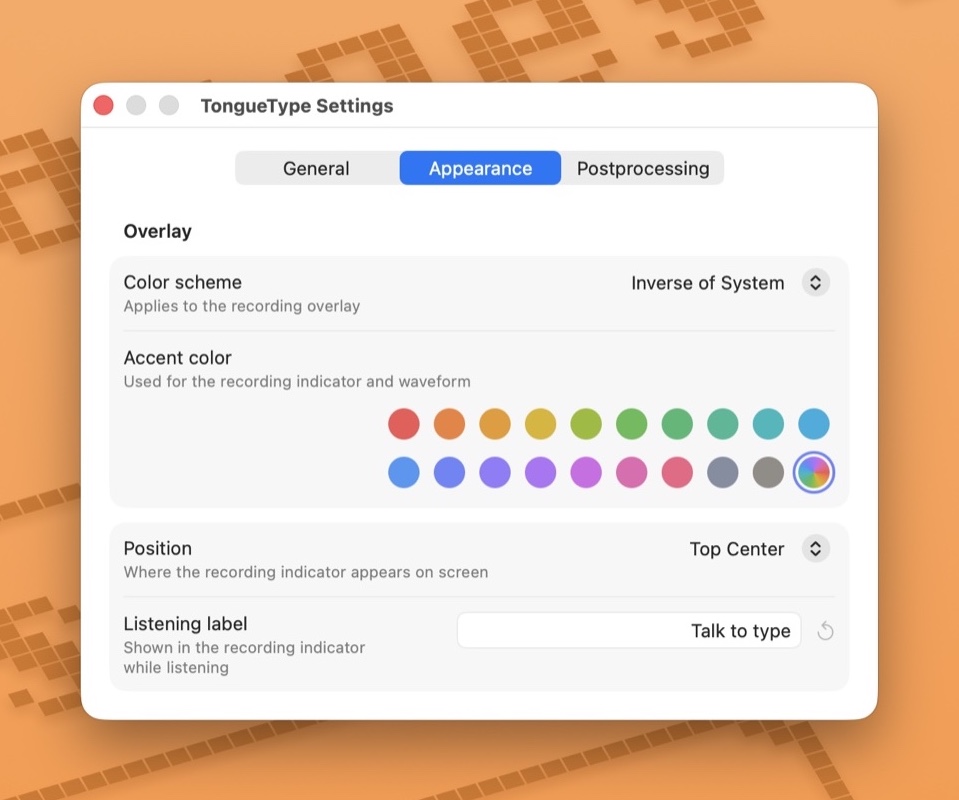
TongueType lives in the menu bar. The recording overlay is small and out of the way, and you can move it wherever you like on screen. There are twenty accent colors, including Rainbow Mode.
None of that was necessary. But it was fun to build.
Accessibility
I want to call this out specifically. Voice dictation isn't only a convenience. For some people it's the difference between using a computer comfortably or not. If typing is painful or difficult for you, TongueType is meant to be a real input method, not an afterthought. That shaped a lot of the decisions above.
Pricing
TongueType is free to try, and the free tier includes every feature. You get 30 minutes of live dictation each month plus short file transcriptions.
If you want unlimited, TongueType Pro is a one-time $19.99 purchase that covers up to five Macs. No subscription. Buy it once, keep it forever.
You'll need macOS 14 or later on an Apple Silicon Mac. Running the model locally is the whole idea, and Apple Silicon is what makes it fast enough to bother.
If any of this sounds useful, give TongueType a try and let me know what you think!
Update: I've since released a second macOS app, ColorCopy, a menu bar color picker. If TongueType sounds like your kind of app, that one might too.