

Introducing ColorCopy
My second macOS app, ColorCopy, was approved by the Mac App Store today! It started as a menu bar color picker. Press a key, click any pixel on your screen, and the color lands on your clipboard in whatever format you need.
Then I kept finding more things I wanted to put into it.
Update (August 2026): ColorCopy is no longer on the Mac App Store. It's now self-distributed and available at ColorCopy.app. Here's why I pulled it.
Why I made it
I pick colors off my screen constantly. A shade in a screenshot, a brand color on a website, an accent color in an app I want to match.
There are plenty of color picker apps already, so why build another one? Because picking colors is the easy part. I also wanted to compare contrast ratios, keep my palettes organized, pull colors out of an image, and sync all of it between my Macs. Doing that meant opening four different tools.
Plus, I enjoy building my own tools!
How it works
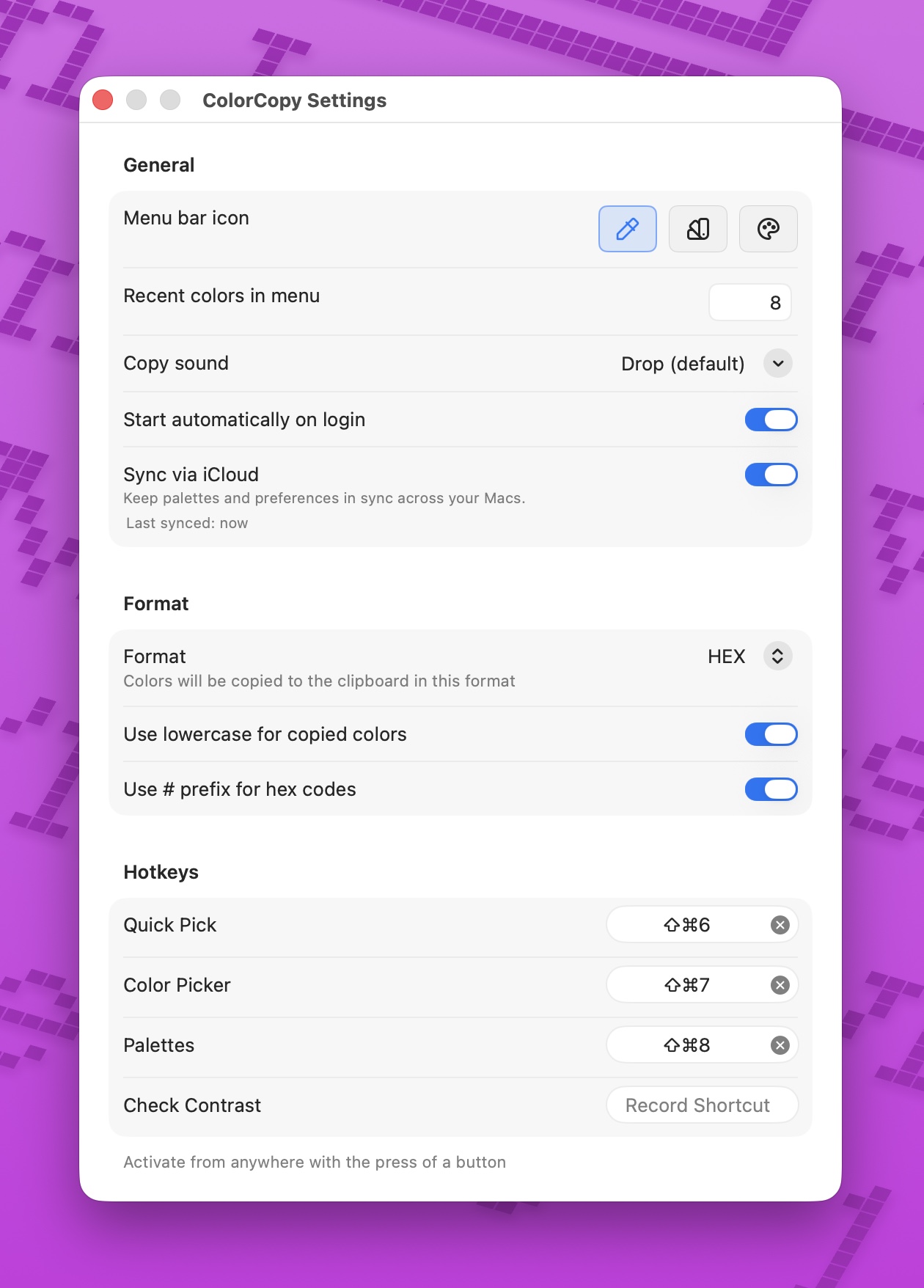
Press the hotkey, click any pixel on screen, and the color is formatted and written to your clipboard. There are four configurable global hotkeys: pick a color instantly, open the Color Picker window, open your palettes, or open the contrast checker.
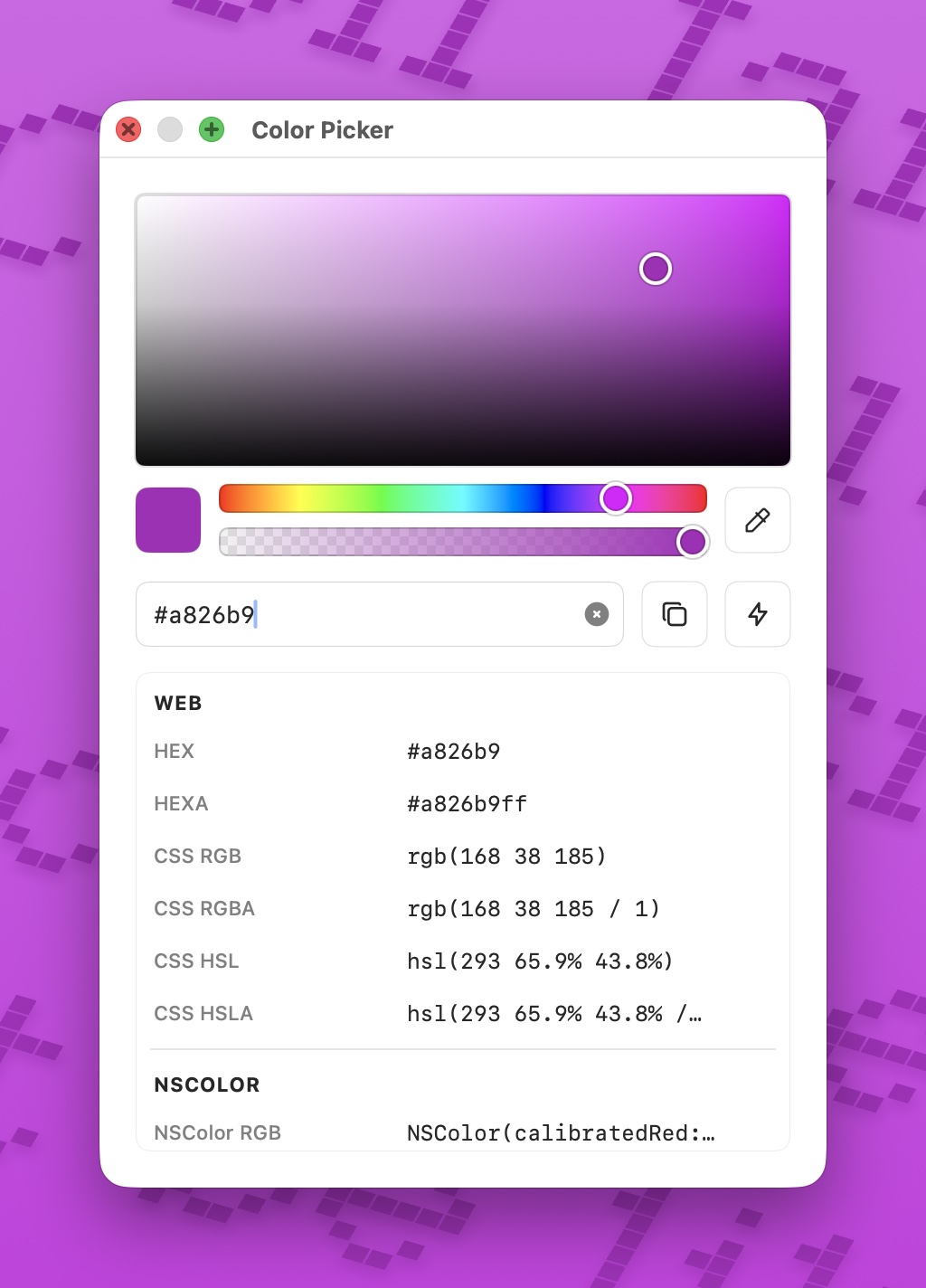
The Color Picker window has an eyedropper and shows the selected color in all 21 formats at once. Click a row to copy it. It's the format converter I always wanted.
Palettes
A color picker that forgets every color the moment you copy it isn't much of a tool. ColorCopy keeps a configurable history of recent picks and a full palette manager.
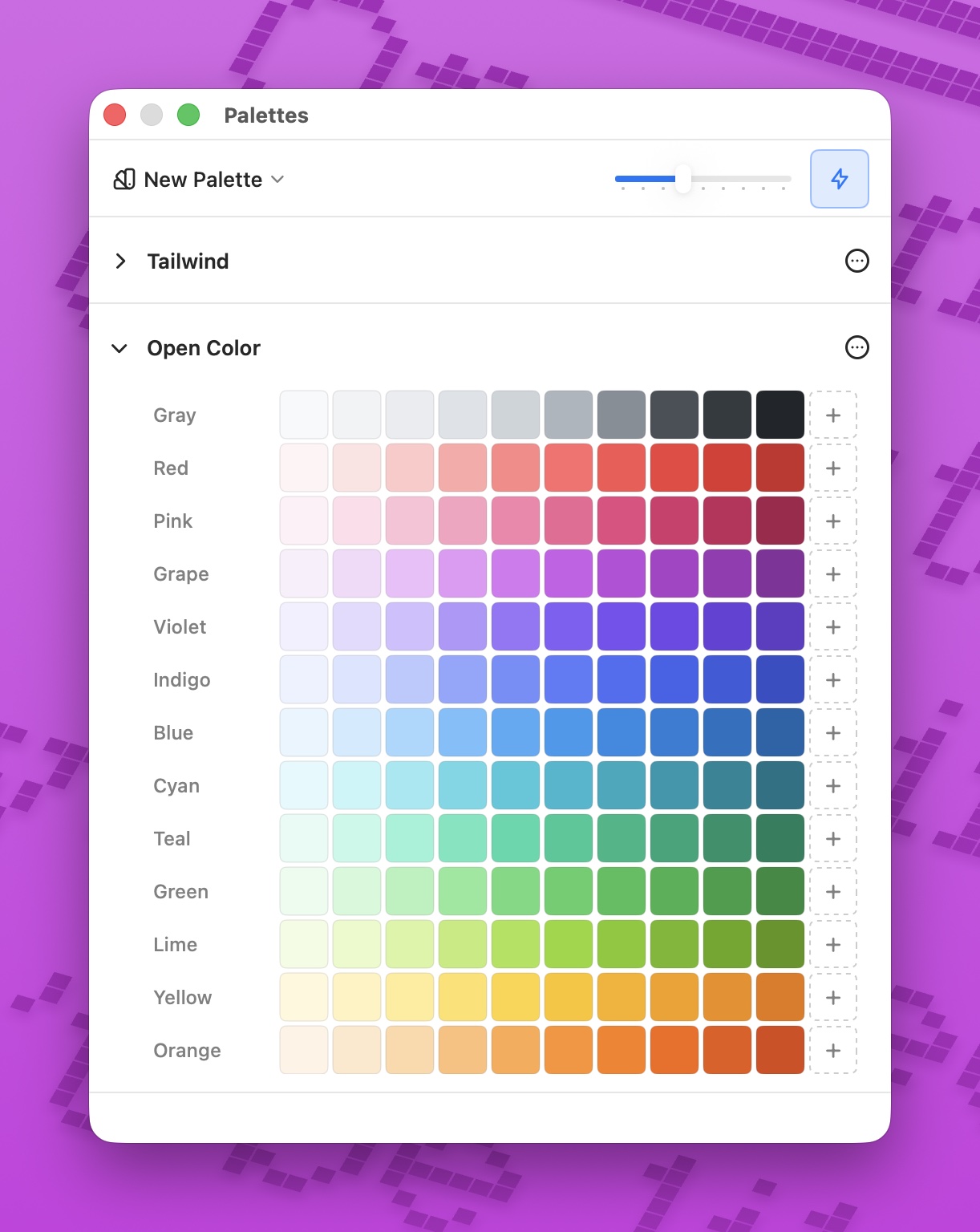
There are 24 built-in presets, including Tailwind, Material Design 3, Radix Colors, Open Color, IBM Carbon, GitHub Primer, and Apple System Colors. You can build unlimited custom palettes, organize them into named scales, and drag swatches around.
Star any swatch and it shows up under a Favorites submenu right in the menu bar. One click and that exact color is on your clipboard.
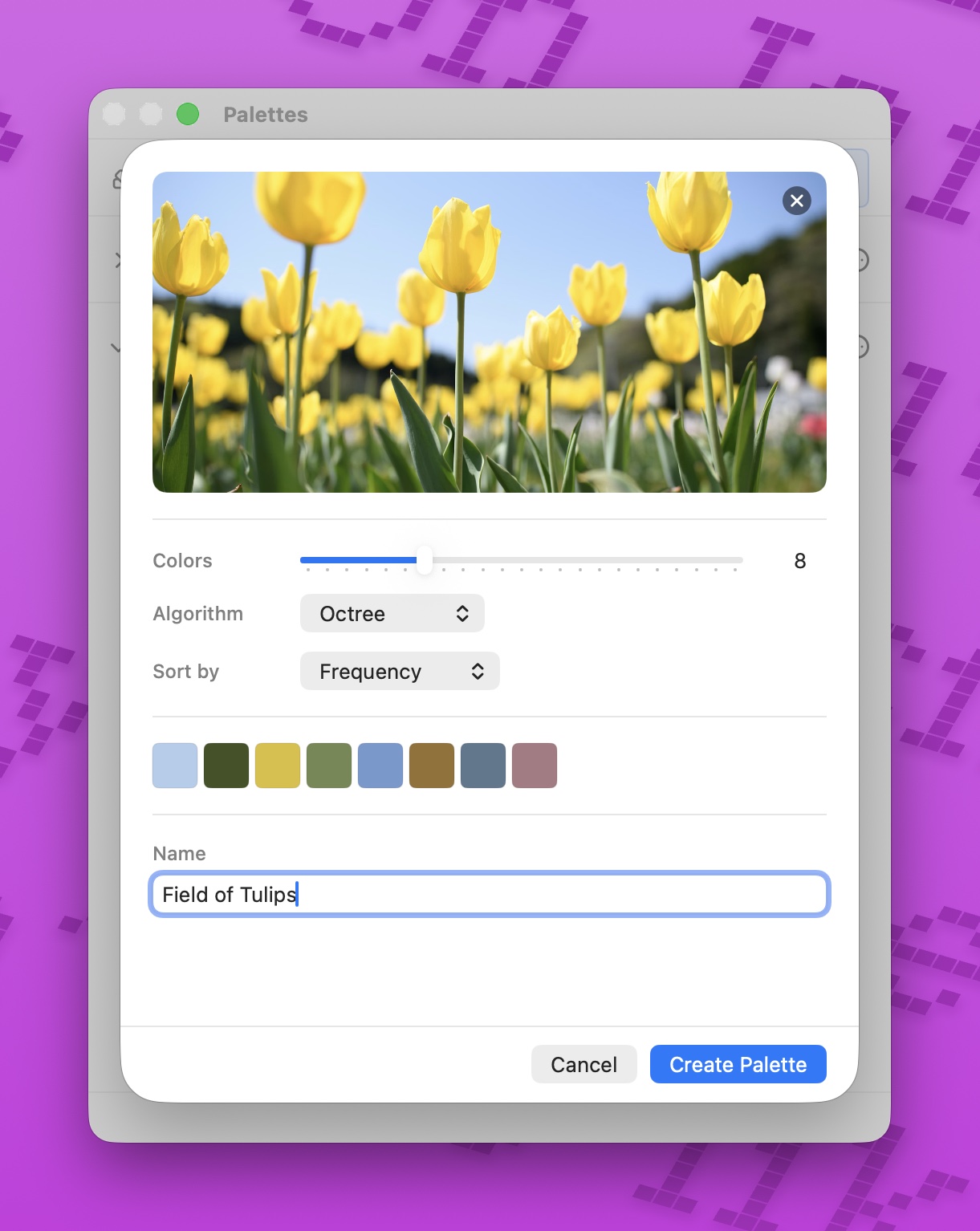
You can also extract a palette from any image by dragging one onto the window. Choose how many colors to pull and it saves the result as a new palette.
Palettes import from Adobe Swatch Exchange (.ase), Apple Color List (.clr), and JSON. They export to eight formats, including CSS custom properties, HTML, PDF, and PNG.
Turn on iCloud sync and your palettes follow you to all your Macs.
A built-in contrast checker
Colors rarely live alone. Text sits on a background, an icon sits on a button, and whether that pairing is readable shouldn't be a guess.
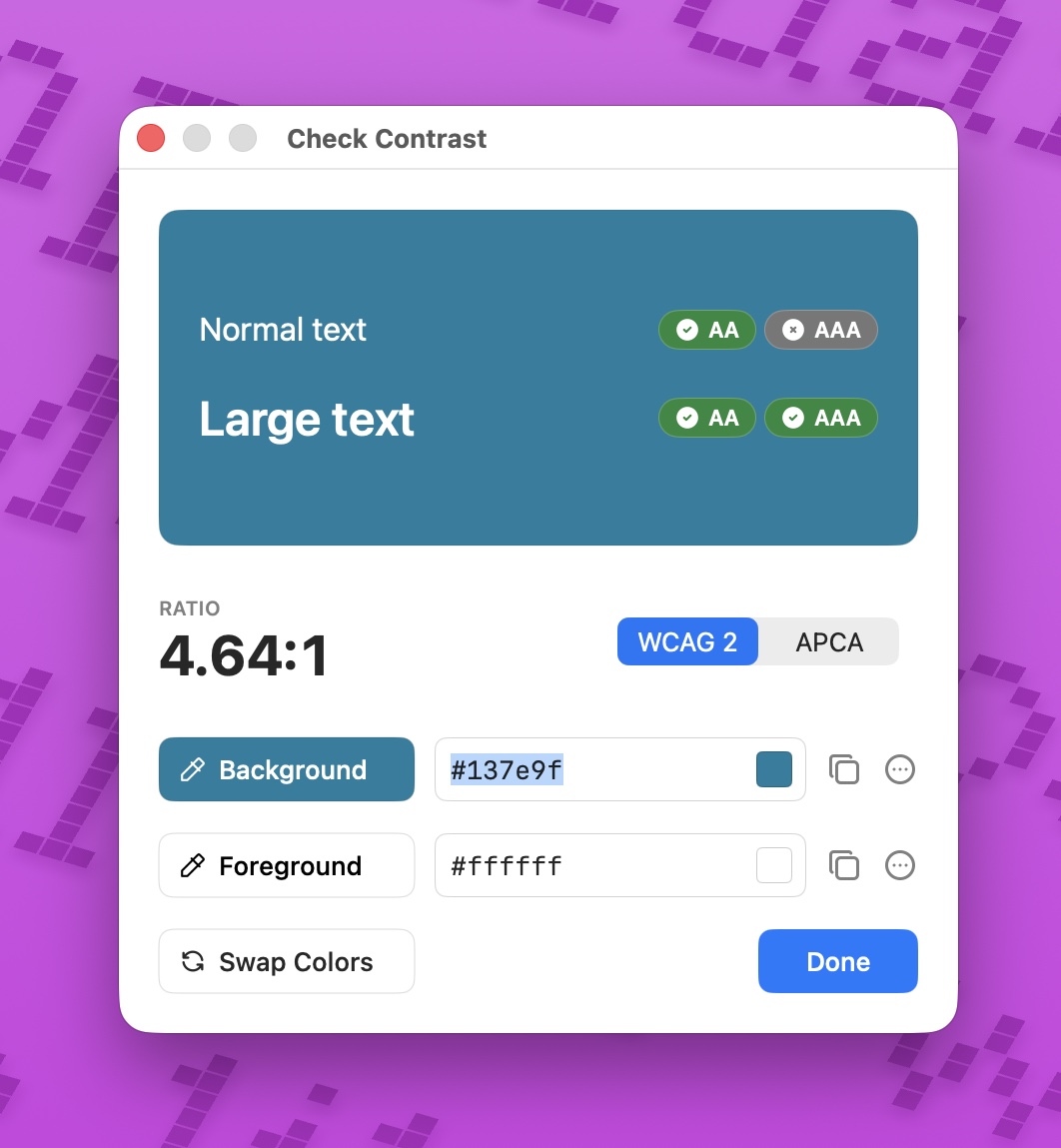
Pick a background and a foreground color and ColorCopy reports the contrast in both WCAG 2, with AA/AAA pass and fail for normal and large text, and APCA, the newer perceptual algorithm. If a pair fails, open the context menu and select fix, and ColorCopy nudges the color just enough to meet the contrast you asked for.
Color contrast isn't only an aesthetic decision. For people with low vision, it's the difference between readable and not.
A bit of personality
ColorCopy lives entirely in the menu bar, but it's not joyless. There are three menu bar icon styles, adjustable swatch sizes, and nine copy sounds to pick from — or silence, if you prefer.
Privacy
ColorCopy runs on your Mac. There's no account, no analytics, no telemetry, no crash reporter, and no server for your data to land on.
Two things are opt-in. In-app purchase goes through Apple's StoreKit, and iCloud sync keeps your palettes consistent across your Macs through your own private iCloud account. Sync is off by default, and even when it's on, your data goes to Apple, never to me.
It also needs no special permissions. ColorCopy uses Apple's sandboxed NSColorSampler, so it never asks for Screen Recording or Accessibility access.
Pricing
ColorCopy is free to download and the free tier includes every feature: all 21 formats, the Color Picker window, the contrast checker, the palette manager, image extraction, favorites, and every customization setting. It's metered to 50 color copies per month.
If you want unlimited copies, ColorCopy Pro is a one-time $7.99 purchase that removes the cap. That's the only difference between the tiers. No subscription.
You'll need macOS 14 (Sonoma) or later. It's available in 10 languages.
If you copy colors off your screen even occasionally, give ColorCopy a try and let me know what you think!